
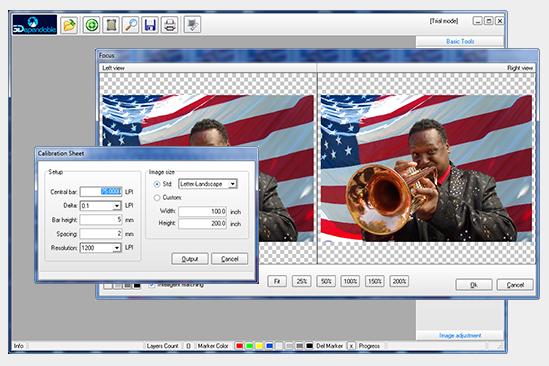
The 3Dependable Lenticular Photo Producer is a versatile software for lenticular printing. It can be used to create pitch test patterns and interlaced images for 3D and animation. Although the software is bundled with the 3Dependable Dolly for taking pictures as the lenticular sequence, it can be downloaded separately as a stand-alone program. For those who are interested in making 3D lenticular prints, this program is an absolute must. It will save you time and make lenticular printing effortless.
The pitch test part of the software is fully functional. You can use it for pitch testing at any line density.


The Lenticular Pitch Test app is an essential calibration tool for achieving crisp, ghost-free lenticular prints. Every lenticular lens has a stated pitch (LPI), but manufacturing tolerances and print device resolutions can shift the actual usable pitch. This web-based utility eliminates guesswork by generating a custom test pattern tailored to your lens and printer.
Simply enter the claimed pitch of your lens, select your printer resolution -- such as 720 dpi for Epson or 600 dpi for HP -- pick a page orientation, and print the pattern. By visually inspecting which band appears the sharpest under your lens, you can determine the exact pitch value to use in your interlacing workflow. Accurate pitch alignment is the foundation of professional lenticular printing, and this tool makes it accessible to everyone.
Lenticular Interlacer is a browser-based interlacing engine designed for both beginners and seasoned lenticular printers. Just drag and drop your images into the workspace, enter the lens pitch you’ll be using, specify your final print dimensions, and let the app instantly generate a properly interlaced file.
The app supports all common lenticular effects:
There is no software to install, no license keys to manage, and no technical barriers -- just fast, accurate, professional-quality lenticular output directly in your browser.
Make a Flip is the fastest way to turn two ordinary images into a compelling lenticular flip effect. Upload your pictures into the browser interface and preview the flip animation immediately. Once satisfied, specify the print size and add your custom lenticular flip print to your shopping cart.
This tool removes the complexity of interlacing and pitch calculations, making flip lenticulars accessible to hobbyists, educators, marketers, and anyone who wants a dramatic visual reveal. Surprise your friends, showcase a before-and-after transformation, or create a dynamic promotional piece -- the possibilities are endless.
Make a Morph transforms two images into a smooth, face-aligned lenticular morph effect. Start by uploading your From and To images. The tool renders the To image semi-transparent so you can align key facial features -- eyes, nose, and mouth -- for a seamless transition.
Next, set your desired print dimensions. A dynamic crop rectangle lets you define exactly which area of the image will be part of the morphing sequence. Once finalized, add the creation to your shopping cart and order a professional lenticular morph print -- perfect for gifts, events, character reveals, or humorous transformations.
This app combines intuitive design with precise alignment tools, making lenticular morphing straightforward and fun for users of any experience level.